
Yan Cui
I help clients go faster for less using serverless technologies.
As I go through the HTML5 spec, I find some useful new feature just about everywhere, and the new contenteditable attribute is certainly one of those. It’s supported by most elements and provides a simple and yet effective way for you to allow the users to edit user contents (blog posts for instance) inline as opposed to having to open up a separate form.
It couldn’t be simpler to use it, just set the contenteditable attribute of your element to true:
<article id="editable" contenteditable="true">
    <p>This area is an article, its border will light up when you click anywhere inside.</p>
    …
</article>
And now when the user can edit the content of the element themselves:
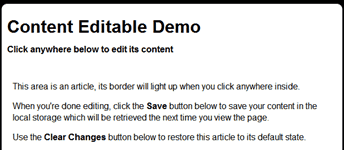
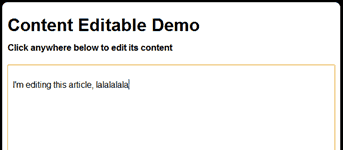
Here is a quick demo I’ve put together which uses two buttons to save and clear changes to/from the local storage, though you can just easily save the changes automatically when the element loses the focus.
Whenever you’re ready, here are 3 ways I can help you:
- Production-Ready Serverless: Join 20+ AWS Heroes & Community Builders and 1000+ other students in levelling up your serverless game. This is your one-stop shop for quickly levelling up your serverless skills.
- I help clients launch product ideas, improve their development processes and upskill their teams. If you’d like to work together, then let’s get in touch.
- Join my community on Discord, ask questions, and join the discussion on all things AWS and Serverless.
Nice post-thanks
(Border does not light up when I click in demo-any idea why not?)