
Yan Cui
I help clients go faster for less using serverless technologies.
Like London buses, we’ve waited years for true innovations to the Lambda platform and two came at the same time!
I will be updating the Production-Ready Serverless workshop to cover these new features in the January cohort.
In this post, let’s take a closer look at Lambda Managed Instances, why you should care and when to use it.
Introducing Lambda Managed Instances
A common pushback against Lambda is that “it’s expensive at scale” because:
1) Each execution environment can only process one request at a time, wasting available CPU cycles while you wait for IO response.
2) Paying for execution time is less efficient when handling thousands of requests per second, especially given the above.
Lambda Managed Instances address these concerns.
You keep the same programming model with Lambda and the same event triggers.
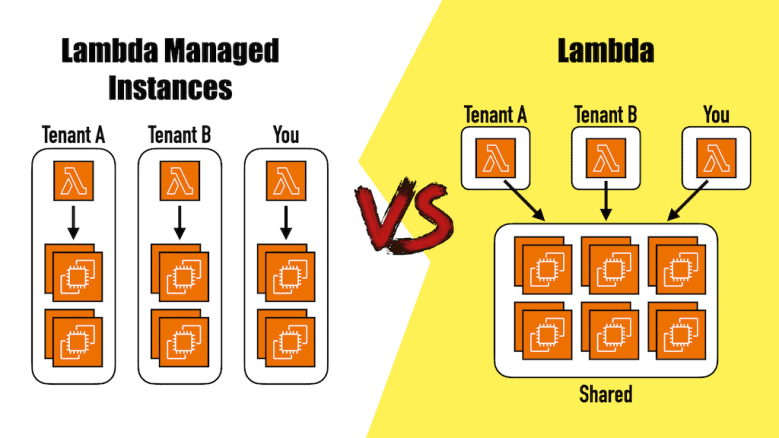
But instead of your function running in a shared pool of bare metal EC2 instances, you can now instruct AWS to use EC2 instances from your account instead.
Importantly, AWS still manages these EC2 instances for you, including OS patching, load balancing and auto-scaling.
With managed instances, you have more control over HOW the Lambda service should manage these EC2 instances.
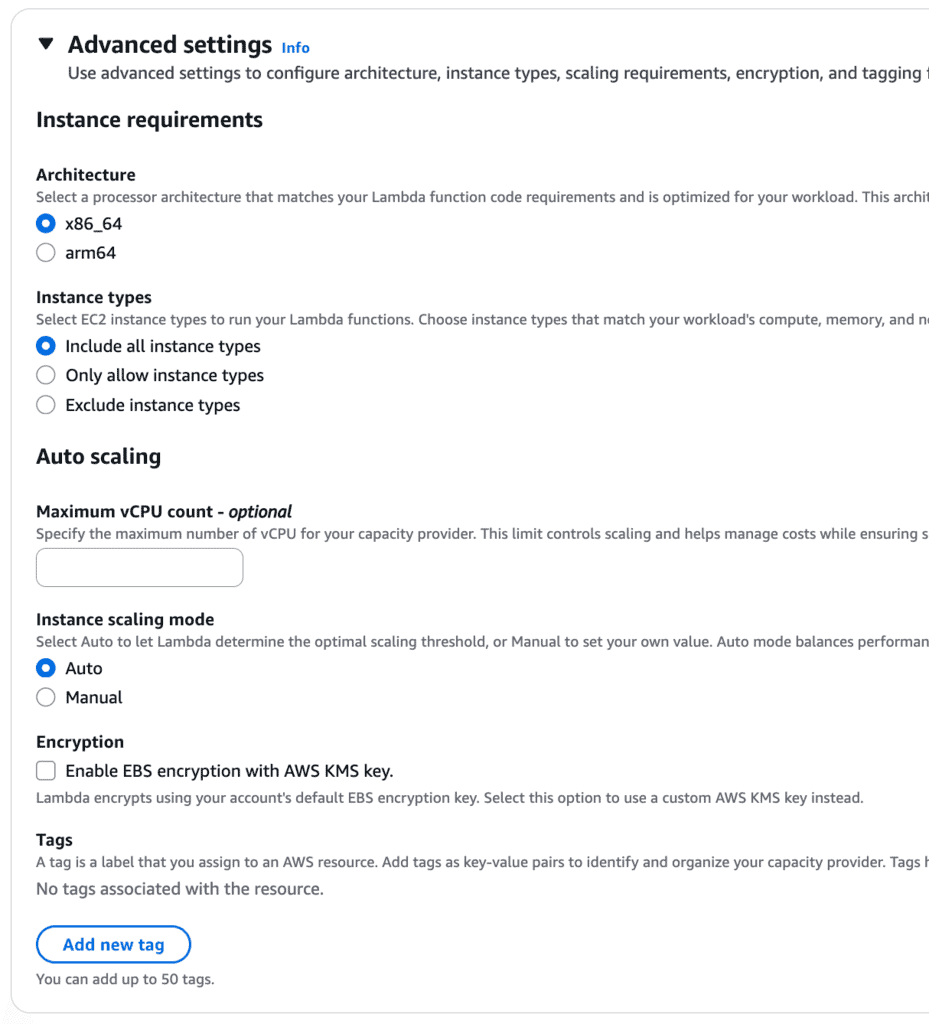
For example, what CPU architecture and instance types to use.
You can choose specific instance types that works best for your workload, and use EC2 saving plans on these instances.
Note: GPU instances are NOT supported.
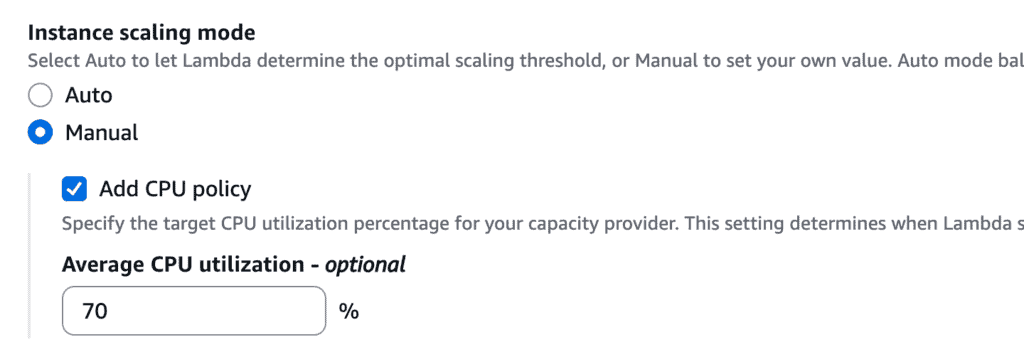
Similarly, you can let Lambda choose the scaling threshold or provide a target CPU utilization level you wish to maintain.
When creating a function using managed instances, you can also set the memory size and the memory-to-CPU ratio.
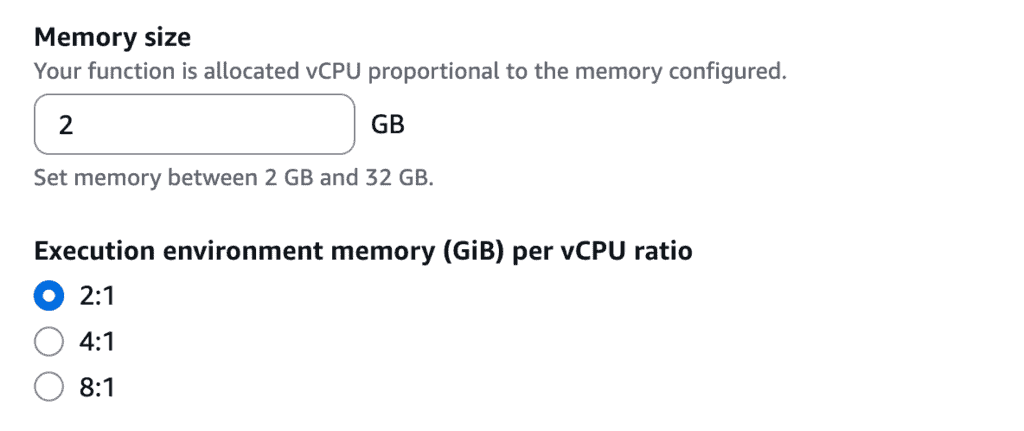
This lets you tailor the execution environment based on your workload. For example, for basic CRUD APIs, a 2-to-1 ratio is fine. But for memory intensive workloads you might choose a higher memory-to-cpu ratio.
Important considerations
Execution environments can handle multiple concurrent requests
This allows better utilization of the available CPU cycles. This is important for keeping cost in check when running at scale.
But it also means your code need to be thread-safe. For example, you need to be more careful when using and modifying global variables, because another concurrent request might have also modified them.
Paying for uptime instead of execution time
You no longer pay for execution time, but instead, you pay for a combination of:
- No. of Lambda requests – $0.20 per million.
- The EC2 cost.
- 15% premium on the EC2 cost.
As mentioned before, you can use existing EC2 saving plans on the managed EC2 instances.
No cold starts but slower scaling
Because execution environments are reused and can handle multiple concurrent requests, there are no more cold starts.
However, when exceeding the capacity of the EC2 fleet, requests are throttled until the system is able to scale up the fleet.
Regular Lambda functions can scale rapidly by tapping into a large, shared pool of EC2 instances. With managed instances, it takes tens of seconds to launch new EC2 instances. As such, it’s not a good fit when you have large, unpredictable spikes in traffic.
When to use it
Considering the above, here are the reasons I’d consider using managed instances:
- Cost-efficiency at scale, when you have a consistent high throughput.
- Predictable performance. Managed instances is more effective at eliminating cold starts than Provisioned Concurrency.
- More control over execution environment. More choices of instance types, memory-to-CPU ratio, etc.
However, for most of us, who aren’t handling thousands, or even hundreds of requests per second consistently, it’s better to stay with the default compute mode for Lambda.
Also, if you have a very bursty traffic and you can deal with a bit of cold starts, then you’re also better off staying with regular functions.
Regardless, I’m glad that there’s another option we can upgrade to, should the needs arise. And after all the relentless focus on AI, it’s good to see AWS going back to and innovating on its core services.
Related Posts


Whenever you’re ready, here are 3 ways I can help you:
- Production-Ready Serverless: Join 20+ AWS Heroes & Community Builders and 1000+ other students in levelling up your serverless game. This is your one-stop shop for quickly levelling up your serverless skills.
- I help clients launch product ideas, improve their development processes and upskill their teams. If you’d like to work together, then let’s get in touch.
- Join my community on Discord, ask questions, and join the discussion on all things AWS and Serverless.